Some of your best customers are hiding in your email list. They open every campaign, click through regularly, and buy when you ask. But on mobile, they're a lot less active than the data suggests they should be.
Don’t get us wrong, email is reliable, but it's slow by design. Push is immediate. Migrating your most engaged email subscribers to push helps you match your communications channel to how your users actually behave.
Here's the step-by-step playbook for making that switch without losing anyone along the way.
Why migrate? The data-driven case for push notifications
Email and push aren't competing for the same job. Email is built for depth and patience (it’s built to sit in an inbox until someone's ready.) Push is built for now (it interrupts, briefly, at a moment that's supposed to matter.) For mobile-first moments like a price drop or a status update, that difference in immediacy is the whole reason migration is worth doing.
Deliverability reinforces the case. Even well-run email programs lose a meaningful share of sends to spam folders and promotions tabs. Inbox providers routinely filter a quarter or more of marketing email away from the inbox, on top of hard bounces from stale addresses. Push has no spam-folder equivalent: once a user grants permission, the message reaches the device directly.
The takeaway isn't "push wins." It's that push wins the moments email structurally can't.
The 3-phase migration playbook
This is the part most teams skip past too quickly. A migration that's rushed produces opt-out spikes and uninstalls; one that's sequenced properly produces a durable lift in real-time engagement.
Phase 1: Pre-migration planning & list preparation
Start by documenting where you stand: current email open rate, CTR, and conversion rate by segment. This is the benchmark the migration gets held accountable to later.
Then find your migration candidates. Not your whole list, but the subset who've opened or clicked in the last 90 days. They've already told you they're paying attention, which makes them the most likely to grant push permission without much persuasion and the highest-leverage place to start.
Before migrating anyone, clean the email list you're working from. Run one last re-engagement send at dormant addresses, then remove what doesn't respond. A smaller, accurate list beats a large, stale one.
Phase 2: Executing the switch
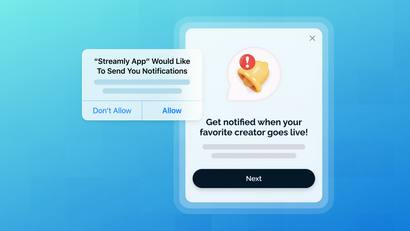
The opt-in prompt is where most migrations succeed or fail. Don't lead with the system permission dialog. Instead, lead with an in-app message that explains the trade you're offering: "Get notified the moment your order ships," not "Enable notifications." That's a push primer, and it exists specifically to earn a yes before the OS-level prompt burns your one shot at it.
Trigger that primer intelligently. Show it to your identified engaged-email segment when they open the app, not to everyone on day one. Set it up through your in-app messaging tooling so it's targeted rather than blanket, following the same setup pattern as any other in-app message.
Some users won't opt in, and that's fine… they simply stay on email. The goal isn't 100% migration; it's shifting the primary channel for your most engaged mobile users. While you build this out, run old and new systems in parallel. Keep existing email automations live until the push journeys are fully tested, so nobody falls through a gap mid-migration. The quickstart guide is a good place to sanity-check your setup before you flip the switch for real.
Phase 3: Post-migration monitoring & optimization
Once live, watch four numbers: push opt-in rate, open rate (direct and influenced), conversion rate, and uninstalls. A spike in uninstalls right after a permission push means you asked too early or too aggressively, not that push itself failed.
Hold the new numbers against your Phase 1 benchmark. That comparison is the actual ROI case, not a vague sense that "push feels more active." Treat this as ongoing, not launch-and-done: content, timing, and frequency all deserve the same iteration you'd apply to email subject lines.
Orchestrating a true multi-channel strategy
Migration is a means, not the end goal. The real target is communicating on the right channel automatically, without a marketer manually deciding per-user, per-message. That's what a multi-channel messaging platform is for: managing push, web push, email, and SMS against one user profile instead of four disconnected tools with four different versions of the same person.
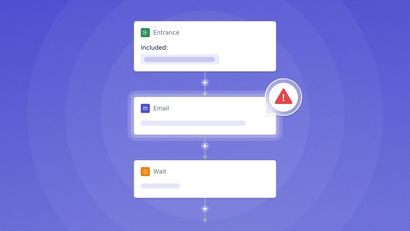
This is where automated Journeys earn their place. A well-built journey can try push first and, if there's no engagement within a set window, automatically fall back to email (see Journey examples for the pattern in practice.) Nobody has to remember to check whether a push landed; the logic already accounts for it. That's the difference between switching channels and actually orchestrating them, and it's the piece that turns a one-time migration project into a permanent gain in mobile app marketing effectiveness.
Migration risks and when to stick with email
Push isn't a universal upgrade, and treating it like one is how migrations backfire. Long-form content (newsletters, detailed guides, anything that needs room to breathe) still belongs in email; nobody wants to read a five-paragraph explainer in a notification tray. Transactional receipts, password resets, and formal account communications should generally stay on email too, since it's still the channel users expect for anything official.
The bigger risk is overcorrecting once push is working. Sending too often creates message fatigue, drives up opt-out rates, and can push users toward uninstalling entirely, the exact opposite of the retention gain you migrated for. The fix is usually coordinating push and email deliberately rather than running both channels independently at full volume.
You don’t need to be managing each channel separately
Migrating your most engaged users to push is the first step. The bigger win is never having to make that channel call manually again. OneSignal manages push, email, and SMS from a single user profile, so the primer that earns permission and the fallback that catches a missed push both come from one coordinated system instead of three disconnected tools. Build the logic once and let a Journey run it for every user who fits. That's the difference between switching channels and actually orchestrating them.
Get Started for Free