Your flash sale starts at noon, your campaign dashboard shows a successful mobile push send, yet some customers receive the notification after the most relevant products have sold out. The lesson? A message that arrives after the moment has passed still counts as "sent."
This distinction is both critical and overlooked across mobile app marketing. A messaging system can accept a request without proving that the message reached a device promptly. A device receipt also doesn’t establish that someone saw the notification, opened the app, or converted.
Marketers already monitor frequency, targeting, and relevance because each can affect retention. Arrival time belongs in that conversation too. Just ask Felipe's, a fast-casual restaurant that recently unlocked a 5% increase in promo sales by switching to a channel built for speed.
When mobile push notifications arrive late, their usefulness may expire before recipients can engage. The practical response is to measure the path from send acceptance through device receipt and downstream action.
Why a successful send can still miss the moment
Firebase Cloud Messaging supports cross-platform delivery and use cases such as re-engagement and retention, but platform-side acceptance does not establish timely device arrival or user action. It is one event within a longer delivery path, where delays can affect whether a message remains useful to its intended recipient.
Flash sales, one-time passcodes, weather alerts, breaking news, purchase confirmations, and back-in-stock notices each have a useful window. A campaign can therefore record send success and still miss its intended moment. Retention analysis should account for when the message arrived, alongside what it said and who received it.
What do sent, delivered, confirmed receipt, and conversion actually mean?
Sent, delivered, confirmed receipt, display, interaction, session, and conversion describe different points in a message journey. Combining them into one success metric hides where delays or drop-offs occur. Definitions also vary across channels, providers, and operating systems, so teams need to document what each reported event proves.
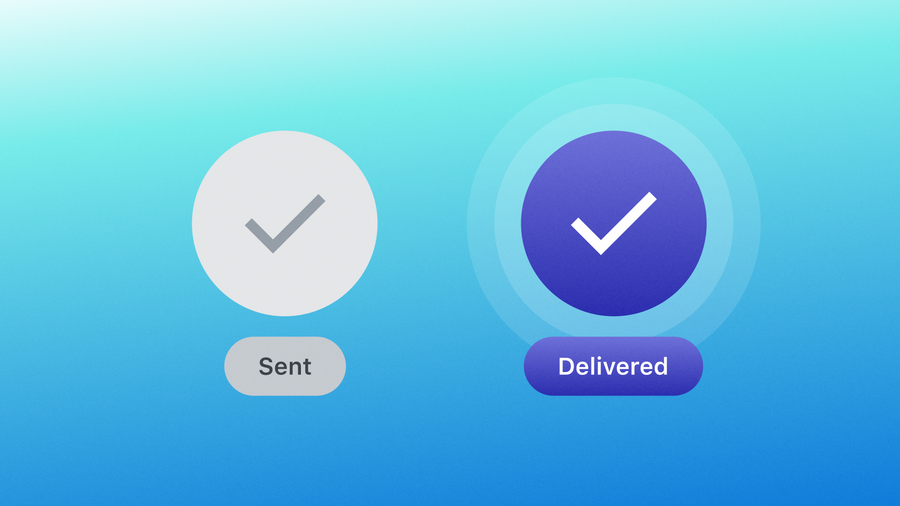
In OneSignal push message reports, Sent is a composite count. It includes notifications sent from OneSignal to push services, plus failures. Delivered means the push services successfully received the notification. Confirmed Receipt means the OneSignal SDK confirmed receipt on the device.
Provider delivery can show that a push service accepted a notification for delivery. Confirmed Receipt requires the device to be online and the app to process the notification. Offline devices, force-closed apps, and apps without the SDK may appear delivered without confirmation.
Device delivery also doesn’t necessarily mean the app displayed a banner. Display behavior can depend on message type, app state, permissions, operating-system rules, and application code. Treat display evidence as its own signal rather than inferring it from delivery.
A displayed notification still does not establish engagement. An explicit click or open records an interaction, a session records app activity, and a conversion records a defined business action. Each event answers a different question about the delivery path and the recipient’s response.
The message lifecycle marketers should measure
Measure each stage from the original request through the business outcome, preserving a shared message identifier and timestamp. This creates a traceable path for diagnosing latency and engagement. The following lifecycle is a measurement model proposed here, rather than a universal schema used identically by every messaging system.
- Send request accepted: The messaging system records the request.
- Provider accepted or delivered: The push service accepts the notification.
- Device receipt confirmed where available: The device and SDK report receipt.
- User interaction: The recipient explicitly clicks or opens the notification.
- Session: The app records a resulting or subsequent session.
- Conversion: The user completes a defined action.
Click-through rate is one later-stage outcome. For comparable push reporting, calculate notification CTR with Delivered rather than Sent as the denominator. CTR measures interaction, not delivery latency.
How should marketers define time-to-delivery?
A practical definition for time-sensitive messaging
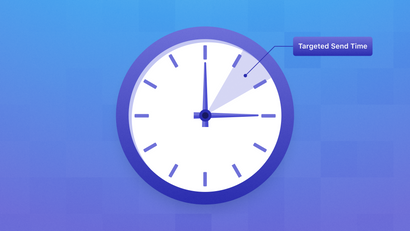
Time-to-delivery is the elapsed time from a recorded send-acceptance event to confirmed device receipt, where receipt confirmation is available. Document the exact start and end events because their meaning varies by provider and channel. Without that definition, two dashboards may use the same metric name for different journeys.
Use this team-defined formula:
time-to-delivery = timestamp of device receipt confirmation minus timestamp of send acceptance
Choose a useful window for each message purpose. Minutes may matter for one-time passcodes, weather alerts, and flash sales. Evergreen lifecycle marketing can support a longer window because the content retains relevance.
FCM can report delays associated with offline devices or throttling. Queued messages may remain pending until delivery occurs or their time-to-live expires, as FCM delivery analysis explains. A single aggregate send-success rate can conceal those delayed experiences within the recipient population.
The latency metrics that expose missed moments
Report the median and p95 time-to-delivery alongside the shares delivered within one minute and within the campaign’s useful window for each campaign. The median describes a typical experience, whereas p95 exposes the slow tail. Window-based measures show whether delivery timing matched the campaign’s practical purpose.
| Metric | How to calculate it | What it reveals | Best use case |
|---|---|---|---|
| Median time-to-delivery | Median of message-level time-to-delivery values | Typical recipient experience | Routine performance monitoring |
| p95 time-to-delivery | 95th percentile of message-level time-to-delivery values | Slow-tail latency hidden by the median | Detecting regressions and affected minorities |
| Delivery within one minute | Messages confirmed within one minute divided by eligible messages | Share reaching devices promptly | Time-sensitive campaign comparison |
| Delivery within the campaign’s useful window | Messages confirmed before the defined window closes divided by eligible messages | Whether arrival preserved message relevance | Comparing different message purposes |
Interpret these metrics together. A stable median can coexist with a worsening p95, and a high delivery share can still miss a campaign’s useful window. Review the measures by message purpose before deciding whether delivery performance warrants a campaign change.
A customer retention platform should connect these operational measures with engagement and conversion data. That combined view shows whether slow delivery coincides with weaker outcomes without treating correlation as proof of cause.
How can you connect delivery latency to retention outcomes?
Group messages by arrival speed, then compare downstream behavior across those groups. Use buckets such as immediate, short-delay, and late, defined relative to the campaign’s useful window. This approach avoids arbitrary universal thresholds and keeps the analysis tied to what the message was meant to accomplish.
Follow a repeatable analysis sequence:
- Define the send-acceptance and confirmed device-receipt events.
- Set latency buckets that match the campaign’s useful window.
- Compare notification opens, clicks, app sessions, and conversion rates by bucket.
- Repeat the analysis across relevant audience and delivery segments.
Connect confirmed receipt to an explicit click, a session, and a defined conversion such as a purchase, sign-up, or content view. A mobile app analytics tool can contribute behavioral context, but the broader analytics stack must preserve message-level timing.
OneSignal analytics measures message performance, engagement over time, and downstream outcomes, including purchases and sign-ups. Conversion Metrics use defined Custom Events and last-touch attribution across push, email, SMS, in-app, and RCS. Last-touch attribution identifies the most recent qualifying message touchpoint; it doesn’t prove that the message caused the outcome.
Segment the delivery path before changing the campaign
Segment latency results before rewriting copy, reducing frequency, or changing targeting. Operating system, app state, network condition where available, geography, message type, and audience can alter the delivery path. Segmenting these dimensions helps locate where performance changed and prevents an operational issue from being mistaken for a campaign strategy problem.
Keep message purpose, audience, timing, and creative as consistent as practical when comparing latency buckets. Treat observed differences as evidence for investigation, then validate proposed changes through controlled tests where feasible.
Useful segmentation dimensions include:
- Operating system and app state, to identify platform or background-processing patterns.
- Network condition and geography, where reliable data is available.
- Message type, because a breaking-news alert has a different useful window from evergreen content.
- Audience, to reveal differences across lifecycle stage, behavior, or subscription state.
Push can support moment-sensitive campaigns such as flash sales, purchase confirmations, back-in-stock alerts, financial notifications, and breaking news. In each case, timing analysis should precede conclusions about content or frequency.
What should Firebase users instrument beyond send success?
Build an event trail from request to action
Preserve a correlation identifier across the send request, delivery or receipt evidence, notification interaction, app session, and conversion. This identifier lets marketers join messaging data with behavioral events, while engineering teams retain detailed operational telemetry for diagnosis. Keep each event’s source, timestamp, and definition.
FCM delivery analysis can reveal unexpected delays among successfully delivered messages, including device-offline and throttling-related delays. Build a marketer-facing reporting layer that joins delivery signals with engagement and business outcomes.
OneSignal Event Streams can send real-time push events, including sent, received, clicked, failed, and unsubscribed events, to servers, webhooks, and integrations. Stream only needed events because unnecessary event types across large audiences consume volume quickly.
Turn a latency regression into an operational response
Respond to a meaningful latency regression by finding the affected population before changing the campaign. Review p95 and useful-window delivery by segment, then examine timing and audience rules. Create alerts for sustained deterioration so teams can investigate delivery conditions across repeated sends.
Use this response checklist:
- Identify affected operating systems, app states, regions, message types, and audiences.
- Check whether the campaign’s useful window matches its purpose.
- Adjust send timing or audience rules when the evidence supports a change.
- Use fallback channels only where consent and channel policies permit.
- Alert engineering and marketing teams when p95 or useful-window performance deteriorates for a sustained period.
Retries won’t resolve every delay. Diagnose the underlying delivery condition before applying them.
Make delivery time part of the retention conversation
Platform-side send success doesn’t prove that a time-sensitive message reached a device in time to matter. Measure the full delivery path, monitor time-to-delivery and slow-tail performance, and connect arrival timing with sessions and conversions before changing messaging strategy. Retention depends on what you send and how often, as well as whether the message arrives before its relevance expires.
Get Started for Free