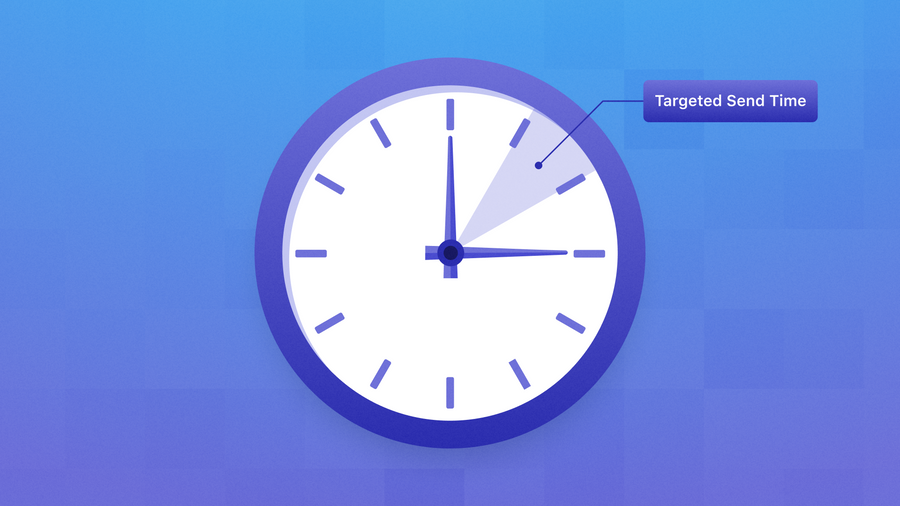
Everyone has an opinion about the best time to send a push notification. Far fewer senders actually open their own campaign data to check whether that opinion applies to their app.
The truth is your best send time depends on who's receiving the message, why they're getting it, and what you want them to do next. Industry benchmarks are useful as a starting hypothesis, but they can't account for your audience's time zones, routines, or reasons for opening your app in the first place.
Below, we’ll walk you through how to find yours, and what to do once you have.
Pick one metric and stick with it
CTR (clicks divided by delivered messages) is the most common choice, and it's a fine default for anything with a clear tap-through, a deep link, an offer, an article, etc. But it's not the only option, and forcing every message type into it can actually muddy your analysis.
A few alternatives worth knowing:
- App open rate works better for messages with no specific destination, a general "come back and look around" nudge doesn't need a click to succeed, it needs the app opened.
- Conversion or revenue per send is the more honest metric for high-intent, ecommerce-adjacent messages, where a strong click that never turns into a purchase isn't actually a win.
- Return-session rate fits re-engagement campaigns best, since the real goal isn't the tap, it's whether the person actually came back and stayed active.
Whichever one you pick, decide it once, along with one attribution window, before you start comparing anything.
One more thing worth tracking: a downstream action, the real next step a message should lead to, like a purchase or a completed booking. Only track it when the click and that goal can diverge. If the click is the goal (someone reads the article, someone opens the app), your primary metric already tells you what you need. Otherwise, track the next step alongside it, a time slot that wins on clicks but loses on that step isn't actually winning.n clicks but loses on that next step isn't actually a winning time slot, it's just a curious one.
Don't average your way into a bad answer
Next, pull your send data. Every send already has a timestamp, so convert that into two labels: the local hour it went out, and whether it was a weekday or weekend.
Then label it by message type: onboarding, transactional, promotional, content, or re-engagement (most platforms already tag this by campaign or category, so you're likely exporting it, not creating it from scratch).
This matters because message types don't perform the same way. A transactional alert (an order update, a booking confirmation) will out-click a promotional blast at almost any hour, because the recipient already cares about it. Blend the two together and you'll credit the time slot for something the message type actually did.
Once everything's tagged, sort your sends into buckets where all three labels match: same hour, same day type, same message type.
For each group, calculate CTR as total clicks over total delivered, not as an average of the individual campaigns inside it, so one huge send doesn't count the same as a tiny one.
Then, within each message type, sort its groups from highest CTR to lowest. That sorted list is your candidate send times for that message type, with delivered volume sitting next to each one so a high CTR on 50 sends doesn't outrank a solid one on 50,000.
Before you trust the pattern, stress-test it!
Remember, a single strong week doesn't make a pattern. Check the same comparison across 30, 60, and 90 days before you believe it, and flag anything touched by a holiday, a product launch, or a seasonal shift so it doesn't quietly become a permanent rule.
Then validate it for real: split a comparable audience into two groups, one on your current schedule, one on the candidate window, and hold everything else (creative, audience, message type) constant.
If the candidate window doesn't win a real head-to-head, it wasn't a pattern.
Turn it into a schedule
Once you've validated a window, move non-urgent scheduled sends into it gradually, keeping a comparison group on the old schedule so you're not flying blind. Never delay something genuinely time-sensitive (a security alert, an expiring offer) to hit a "better" hour, timeliness beats optimization for that category every time. And treat weekends as their own cohort rather than assuming your weekday winner applies.
Set a recurring cadence to recheck this. Audiences shift, products change, and a winning window from two quarters ago is already a little stale.
The version of everything above that runs itself
Unfortunately, we do have to acknowledge a limitation with this method. A cohort-level best time is still one clock time applied to a group of people with different routines, time zones, and habits. The more precise version doesn't pick one best hour, it picks one for each person. But you probably don’t get paid enough to pull those kinds of numbers.
OneSignal's Intelligent Delivery does exactly that, using a rolling average of each user's own engagement history to time their message individually, and it performs 69% better than notifications manually scheduled for later delivery, per OneSignal's own State of Customer Engagement research. It's a genuinely useful example of autonomous lifecycle marketing in practice: the manual audit above is something you rerun periodically, while per-user delivery applies the same underlying logic continuously, without anyone having to remember to redo the worksheet.
Your subscribers already know their best time. Let's ask them, together.
Get Started for Free