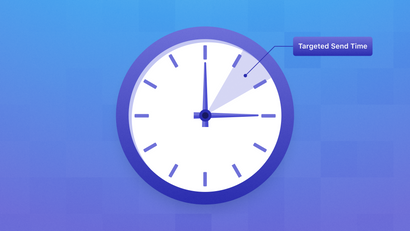
In most day-to-day circumstances, effective mobile engagement hinges on thoughtful timing. With live events specifically, the value of each message is compressed into just a few fleeting minutes. During a championship final or election night, an update that arrives late confuses more than it informs.
Do that often enough and people learn they can’t rely on you in the moments they care about most, which is an extremely difficult reputation to undo.
The pressure increases when one evening creates a send spike of 10 to 50 times your normal volume. Marketing, product, and engineering teams must make fast decisions without flooding audiences or weakening trust. This operational checklist helps mobile app marketing teams prepare the queue, priority rules, fallback paths, monitoring, and recovery plan required for that high-stakes window.
Why does a one-night event need a different messaging plan?
A one-night event succeeds when the right update reaches the right audience quickly enough to remain useful, without duplicate alerts or lower-value messages creating noise. Your plan must handle concentrated demand, rapidly changing event state, and failures that leave little time for manual recovery.
A championship game illustrates the challenge. A final result merits prompt delivery, but a scheduled promotion can wait. Each message competes for queue capacity and audience attention during the same short period.
Whether you start with an SDK, provider API, or omnichannel marketing platform, assign ownership for:
- Queueing and priority decisions
- Retries, deduplication, and expiration
- Delivery monitoring
- Channel fallback and incident recovery
These controls protect engagement and trust when routine mobile app marketing schedules give way to live operations.
How should you queue and validate messages before the spike?
Build a queue that identifies every event, separates traffic by urgency, and prevents repeated processing. Then test the complete delivery path under the expected peak load. A provider accepting a request confirms submission, not that the intended person received, viewed, or acted on the update.
What belongs in the live-event message queue?
Each queued item needs an event envelope containing its event ID, audience or segment, message class, expiration time, delivery channel, and retry state. A unique event ID and idempotent consumers stop retries from processing the same event twice. It also gives operators an auditable record for each send.
Include message IDs, sequence handling, and idempotent writes where processing can repeat.
Use this queue model:
- Separate critical, time-sensitive, and deferrable traffic.
- Preserve order within an event stream when sequence affects the experience.
- Rate-limit fan-out to downstream providers.
- Expire updates after their useful window.
- Postpone or shed peripheral traffic before critical alerts.
How do you test the queue before the event starts?
Run a full dry run at your team’s expected peak, including sudden bursts and downstream delays. Test retries, segment fan-out, duplicate-event injection, and recovery. A rehearsal should force failure decisions instead of limiting preparation to a runbook review. It must validate system behavior and operator decisions under failure conditions.
Before the event:
- Approve numeric end-to-end latency and delivery-success thresholds.
- Confirm duplicate events produce one audience-facing update.
- Delay a downstream dependency and observe queue recovery.
- Verify expired messages cannot leave the queue.
- Compare accepted delivery requests with observed end-user outcomes.
Which updates deserve priority during a live event?
Priority should represent urgency, audience impact, and remaining useful life. Define classes before the event, suppress routine campaigns during the event window, and restrict overrides to approved situations. This protects critical capacity, reduces competing attention demands, and gives operators a documented basis for rapid decisions.
How should you define message priority classes?
Use three documented tiers so operators don’t debate urgency during the event. For every tier, record the owner, intended audience, expiry, delivery channel, and quiet-period treatment. Keep the rules visible to marketing, product, engineering, and incident responders during the event window.
- Critical: Operational or safety notices.
- Time-sensitive: Event changes or milestones.
- Deferrable: Promotional, cosmetic, or routine updates.
Treat a quiet-period override as a narrow, pre-approved exception. Document who can authorize it, which class qualifies, which consent and preference rules remain active, and when the override ends.
When should Live Activities receive immediate updates?
Use iOS Live Activities for an expected event already in progress that changes repeatedly, ends within eight hours, and works through glanceable updates. OneSignal supports real-time updates through its SDK and API, but the format isn’t a universal replacement for push notifications or widgets.
The Live Activities documentation explains that priority: 5 delivers opportunistically without spending Apple’s high-priority budget. priority: 10 seeks immediate delivery and consumes that budget, so reserve it for immediate-attention updates. It doesn’t guarantee immediate arrival.
What is the fallback path when an update cannot reach the audience?
A fallback path should make one controlled attempt through another suitable channel when the primary update remains unconfirmed. Eligibility must depend on delivery status and message expiry. This prevents multichannel duplicates and stops an outdated result from arriving after its useful moment.
How should fallback decisions work?
Attempt the primary channel, wait for a defined delivery or engagement signal until expiration, and send one fallback only if the update remains actionable. Set the signal and expiration before the event window. OneSignal supports fallback messages across push, in-app messaging, email, and SMS.
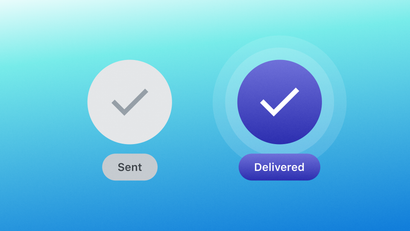
A confirmed receipt shows that a push notification reached and displayed on the device. It applies only to push in a delivery-based fallback flow. In Journeys, a Wait Until node can wait for delivery, a click, or an email open, then expire and continue to the next channel. This no-code customer journey builder approach still requires a firm expiration.
What should each failure mode trigger?
Match every known failure to a detection signal, controlled response, approved fallback, and stop condition. Use SMS only for urgent alerts with consent. Route non-urgent updates to email or in-app messaging when those channels remain useful and permitted. The matrix standardizes operator decisions under pressure.
| Failure condition | Detection signal | Primary response | Fallback path | Stop condition |
|---|---|---|---|---|
| Push delivery failure | No confirmed receipt before expiry | Retry under approved rules | Urgent: consented SMS; non-urgent: email or in-app | Receipt, fallback completion, or expiry |
| Permission denial | Push permission unavailable | Stop push attempts | Email or in-app | Fallback completion or expiry |
| Provider throttling | Provider error or throttle response | Rate-limit and retry | Approved alternate channel | Recovery, completion, or expiry |
| App outage | App health incident | Pause app-dependent sends | Consented SMS for urgent alerts; email for non-urgent updates | Service recovery or expiry |
| Stale event data | Freshness check fails or stale_date passes |
Suppress outdated alerts | User-facing freshness state | Fresh data arrives or event ends |
For Live Activities, stale_date marks content as outdated, allowing the widget to display a fallback state instead of presenting old information as current.
What should the team complete before, during, and after go-live?
Complete technical validation, audience preparation, operational ownership, monitoring, and rollback planning before launch. During the event, compare live signals with team-approved thresholds. Afterward, preserve event IDs and timestamps so the review can distinguish provider behavior, internal processing, and audience outcomes. The review should identify the stage that caused any degradation.
What belongs in the pre-event runbook?
The runbook should tell each operator what to verify, who decides, and how to recover. It must include approved content, prepared audiences, tested credentials, fallback copy, escalation contacts, and rollback steps that the team has rehearsed under realistic load during the event window.
- Freeze approved copy and deep links.
- Pre-stage audiences and suppression Segments.
- Validate API credentials and channel subscriptions.
- Prewarm relevant infrastructure.
- Dry-run the system at expected peak load.
- Verify queue, retry, deduplication, and expiration rules.
- Assign one incident owner and escalation contacts.
- Prepare channel-appropriate fallback copy.
- Document and rehearse rollback steps.
For a championship final, classify an on-field result as time-sensitive, a standings refresh as routine, and a post-event promotion as deferrable. This shared classification keeps lifecycle marketing and mobile app retention strategies from competing with the live event.
Which signals should trigger an incident response?
Trigger an incident when a monitored signal crosses the threshold your team approved before go-live. Watch queue backlog, end-to-end latency, delivery success, provider errors, throttling, duplicate-send rate, stale-message rate, and fallback completion. Route each alert to an owner who can make the approved response decision.
Event Streams can send real-time events, including sent, delivered, clicked, bounced, and Live Activity events, to an external destination. Configure the endpoint to record incoming events quickly without heavy inline processing. Size it for the selected event volume to avoid creating a monitoring backlog.
Follow this rollback sequence:
- Pause low-priority traffic.
- Stop invalid or stale event updates.
- Switch critical notices to the approved fallback path.
- Communicate through the named incident owner.
- Preserve event IDs and timestamps for review.
What is the go-live decision?
Go live only when:
- Queue behavior passes peak-load testing.
- Priority classes have approval.
- Fallback paths work as expected.
- The team owns its delivery and latency thresholds.
- An incident owner is assigned.
- Rollback is ready.
Review these release criteria together before the event window opens, and confirm each owner can act on them under pressure. The operational standard is clear: every live-event message must be timely, relevant, non-duplicative, and recoverable when a channel degrades during the event’s most demanding minutes for audiences and operators.
Be ready when the whistle blows
Live events leave little room to improvise, so the tools you use should already cover the pieces this checklist asks for. OneSignal puts push, in-app messaging, email, and SMS in one platform, so a fallback becomes a Journey step in place of a second integration. Segments let you stage audiences ahead of time, Live Activities handle updates that change by the minute, and Event Streams send delivery events to your own systems so you can watch the night unfold. You still set the thresholds, owners, and rollback plan. What you won’t need is a separate tool for every channel in between.
Create a free OneSignal account and rehearse your next live event before it counts.
Get Started for Free