It's been a busy few weeks building features that help you spend less of your day fighting the tool and more of it talking to your users. In-app messages now speak every language your audience does, the dashboard has a cleaner map (and Settings hub), your trend numbers are more clear, and new teams get a guided start instead of a generic checklist.
Here's the rundown:
Multi-language in-app messages
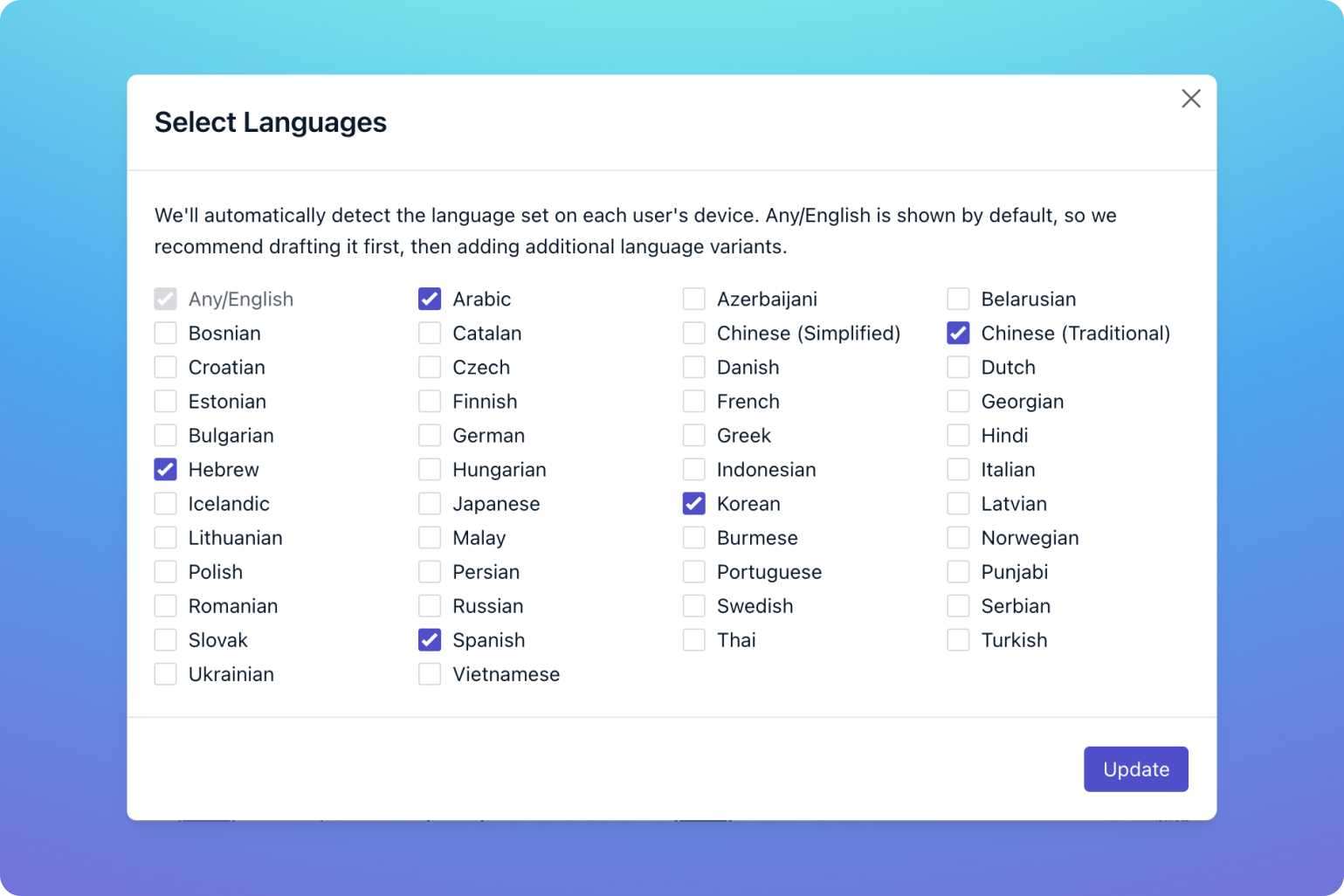
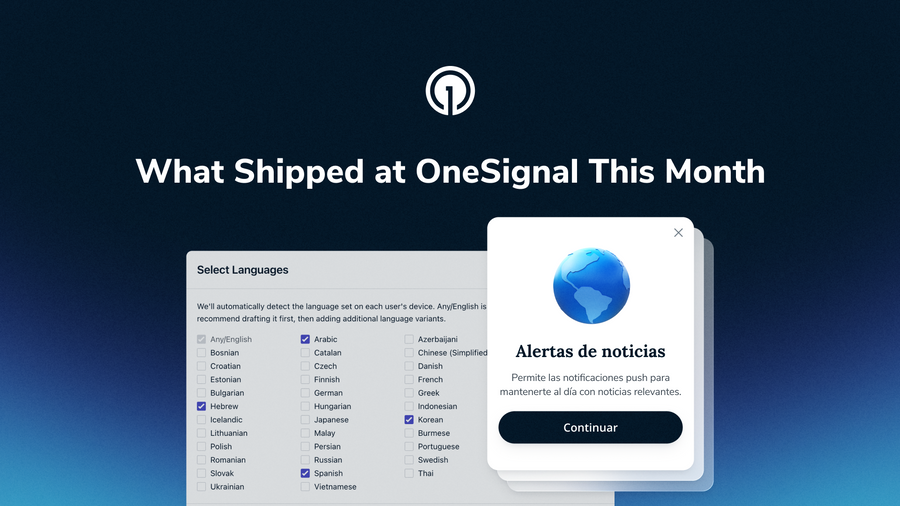
If you've ever maintained a separate in-app message for every language your app supports, plus a segment for each one to target it, you know how quickly that gets out of hand. One customer we talked to was juggling roughly 30 in-apps per platform just to say the same thing in different languages. That's over.
You can now build one in-app message and use Add Languages right in the editor, the same way you already do for push. Each language gets its own tab, in both the block editor and the HTML editor. When the message goes out, OneSignal picks the variant that matches each user's device language and falls back to your default when there's no match. Test & Preview sends each test device its own language version, and it all works inside Journeys in-app nodes too.
If you don't see Add Languages in your in-app editor yet, it's coming shortly.
DocsImproved navigation
We made several enhancements to the navigation for ease of use and clarity. Dashboard is now Analytics. The Delivery group is now a single Messages > All messages page. While the Overview, Conversions, Engagement, Subscriptions, and Retention tabs remain unchanged.
Release notesDashboard trends now compare to the previous period
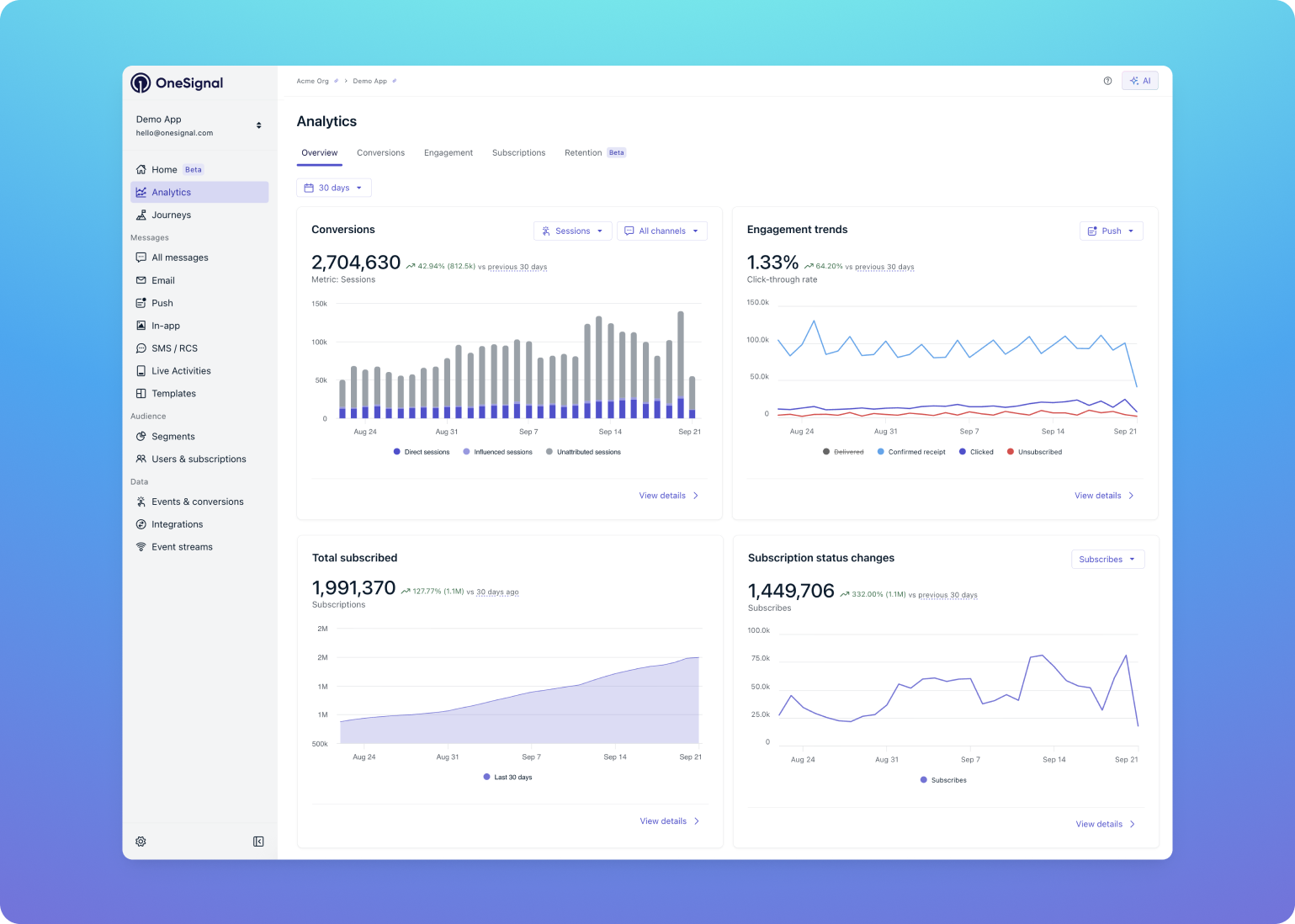
A small change to the Analytics overview tiles that makes things more clear. The trend percentage on Conversions, Clicks, Subscription status changes, and Total subscribed now compares your selected date range to the same-length period immediately before it.
Previously, the trend compared the first day in your range to the last day. That meant a month with 1.5M conversions, up from 1.29M the month before, could show -33% simply because the final day happened to be lower than the first. Now the label reads "vs previous 30 days" (or 7 days, or whatever range you pick), and you can hover the trend to see the exact previous-period dates and value.
DocsA personalized onboarding guide for new accounts
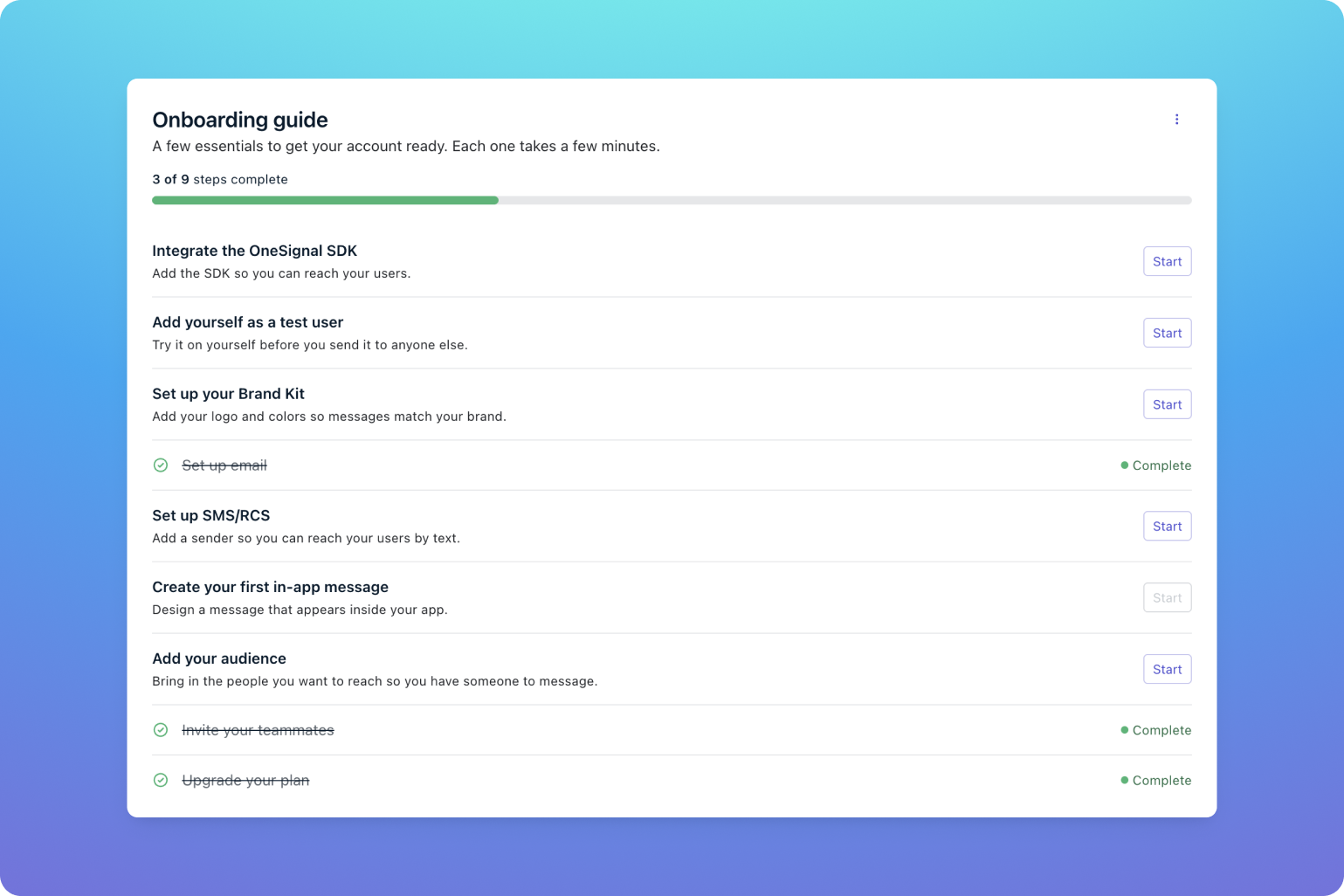
New organizations now land on a personalized onboarding guide instead, with steps tailored to the role and channels you selected at signup.
The guide lives in two places that stay in sync: the full version on your homepage, and a mini guide in the header on every other page, so your progress follows you around. The bigger shift is that every step is an entry point into the OneSignal AI agent. Click a step and the agent opens with a prompt already written for that task, so you get unblocked right there instead of leaving to search the docs.
Getting startedLog in, poke around the new navigation, and try adding a second language to your next in-app. If you have feedback, the OneSignal team would love to hear it.