A messaging platform can feel awkward when every workflow expects a cart, SKU, catalog, or purchase history that your app doesn’t have. You spend time translating product behavior into store-oriented fields, then struggle to use the resulting data for onboarding and retention.
The right platform should match how people receive value from your app. For product-led teams, that usually means reacting to in-app behavior across push, in-app messaging, email, and text messages.
When Klaviyo’s eCommerce strengths become overhead for your app
Klaviyo is built primarily for eCommerce and consumer brands. Its integrations support abandoned-cart recovery, post-purchase engagement, product recommendations, win-back campaigns, and lifecycle marketing tied to commerce data.
Those capabilities work well when products, orders, and purchase histories shape the customer lifecycle. They create overhead when your app’s meaningful signals come from product use instead.
Your evaluation should focus on the engagement jobs that affect app retention:
- Onboarding: Helping a new user reach an early value milestone.
- Activation: Responding to product behavior that signals progress or friction.
- Retention: Encouraging continued use through relevant communication.
- Re-engagement: Reaching people whose activity has declined.
- Conversion: Guiding users toward the next valuable action within the product.
Most apps require a platform organized around product behavior and app-aware messaging rather than catalog-driven recommendations.
What to evaluate in a Klaviyo alternative for a mobile app
Comparing klaviyo alternatives requires more than checking whether each vendor sends email. The best email providers may excel at newsletters and automated email, yet provide limited support for mobile lifecycle programs.
A text marketing platform presents a similar problem when SMS is treated as a separate campaign channel. Your users experience one product relationship, so each message should respond to shared identity, behavior, and lifecycle data.
A multi-channel messaging platform should connect those signals across the places where users interact with your product. Evaluate that connection through the following three lenses.
Prioritize product behavior over purchase events
Start with the data model. Confirm that the platform can use app behaviors, preferences, lifecycle stages, and custom properties to trigger messages and build audiences.
Ask vendors to demonstrate how product data enters the platform and becomes usable. A polished workflow builder has limited value if your team must reshape every app event into an order or catalog field.
Look closely at how the platform maintains user identity across devices and channels. Your evaluation should show whether email, push, and SMS subscriptions can connect to the same person without erasing channel-specific consent or delivery status.
Segmentation also needs to remain responsive. A segment based on current behavior or subscription status should update as the underlying product data changes, rather than depending on manual list exports.
Require channels that meet users in and outside your app
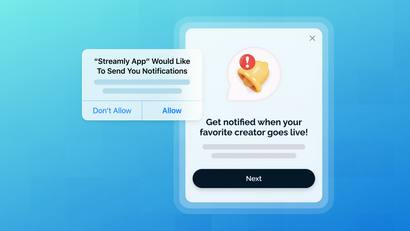
Validate native support for iOS push, Android push, web push, in-app messaging, email, SMS/RCS, transactional alerts, and lock-screen experiences where they matter to your product. These channels form the practical evaluation lens for a mobile-first retention strategy.
Each channel has a different role. In-app messaging reaches an active user with context from the current session. Mobile push notifications can bring someone back to the app, and email can carry detailed content or transactional information. SMS and RCS can support urgent or permission-based communication.
Channel availability alone doesn’t establish fit. Ask whether the platform can coordinate those channels within one workflow, apply suppression rules, and respond to what a user does next. Otherwise, your team still has to reconcile disconnected campaigns.
Delivery also affects the user experience. Validate how the platform handles channel eligibility, failed delivery, subscription changes, and message frequency before you depend on it for critical communication.
Test the data and developer workflow before you migrate
A platform demo should include the implementation work, not just the campaign interface. Ask engineering to test the SDK, API, event instrumentation, identity model, and integration options against your current architecture.
Your marketing and product teams should also build a representative segment and workflow. Test experimentation controls, deep links, personalization, and outcome measurement with realistic product data.
Use this checklist during vendor demos:
- SDK implementation: Review platform support, setup requirements, release practices, and effects on your app.
- API access: Confirm that your systems can automate messages, update users, and retrieve delivery information.
- Event instrumentation: Send representative lifecycle events and inspect how quickly they become available.
- Identity resolution: Test known, anonymous, multi-device, and multi-channel user states.
- Integrations: Verify connections with your analytics tools, CRM, data warehouse, and operational systems.
- Segmentation: Build audiences from behaviors, properties, location, and subscription status.
- Experimentation: Check how the platform creates message variants and assigns audiences.
- Deep links: Open the intended screen across supported app states and versions.
- Measurement: Connect each message to a defined product or campaign outcome.
- Governance: Confirm who can create, approve, launch, pause, and analyze communication.
A capable messaging stack should work with your product data. It shouldn’t force your team to maintain an artificial eCommerce model merely to trigger an onboarding reminder.
OneSignal vs. Klaviyo: the practical difference for app-led engagement
Klaviyo has expanded beyond email and SMS. As of September 2026, it includes mobile push notifications and in-app messaging on every plan, supports WhatsApp, and has RCS in private beta. However, its current lineup doesn’t list web push or Live Activities.
OneSignal supports mobile and web push with targeting and automation, plus in-app messages for active app users. It also supports transactional and marketing email as part of its broader customer engagement capabilities.
Reviewer feedback adds another perspective. G2’s Klaviyo vs. OneSignal comparison gives OneSignal higher satisfaction for setup, support, and value, whereas reviewers praise Klaviyo’s email marketing capabilities. These reviews are useful inputs, although you should still test both products against your data and workflows.
Klaviyo is the more aligned choice for eCommerce-led email and SMS programs. OneSignal is the recommended fit when product behavior, native app engagement, web reach, and cross-channel lifecycle messaging drive your retention strategy.
How OneSignal supports behavioral, multi-channel messaging
OneSignal connects messaging channels to product data through Journeys, Users, Tags, Segments, deep links, and outcome measurement. The platform also integrates with third-party tools, CRMs, and data pipelines through SDKs or webhooks.
Its app SDK supports messaging capabilities, and the API can automate messages, manage users, and track delivery. This gives marketing teams a workflow interface while engineering retains programmatic control over data and communication.
Build Journeys around onboarding, retention, and re-engagement
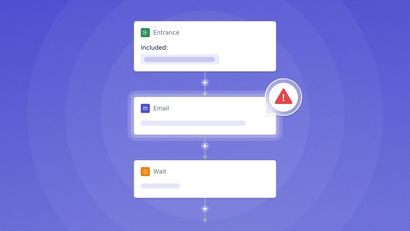
Journeys enables no-code messaging workflows across channels for onboarding, retention, and re-engagement. You can define entry criteria, sequence messages, and move users through a lifecycle flow based on product context.
For example, imagine that a user begins onboarding but doesn’t reach the next meaningful product step. A Journey could send a push notification, wait for updated behavior, and follow with an email only if the user remains eligible. This scenario illustrates workflow logic rather than a promised performance result.
The same structure can support retention or re-engagement programs. Your team can adapt the channel sequence and exit rules to the behavior that defines success for your app.
Target people using your product data
A OneSignal User represents an individual who can have one or more channel subscriptions, including push, email, and SMS. This structure lets your team manage the person and their eligible communication channels without treating every subscription as an unrelated record.
Tags store custom metadata such as preferences, behaviors, and properties. Segments create dynamic user groups based on criteria including behavior, location, tags, and subscription status.
Together, these features let you target messages with product context. OneSignal also supports personalization through user data, Tags, and dynamic content, so the message can reflect known preferences or lifecycle information.
Use this data selectively. Personalization should make a message clearer or more useful, rather than display every attribute your system has collected.
Connect messages to the next in-app action
A message should lead somewhere relevant. OneSignal deep linking can direct people to a specific app screen or web page through custom deep links and URLs.
Deep links reduce the steps between a message and its intended action. Test them across operating systems, authentication states, app versions, and fallback conditions before launch.
OneSignal can also send real-time updates to iOS Live Activities through its SDK and API. This capability suits products that need to update useful information on the lock screen without asking the user to reopen the app for every change.
Measure and improve the path
OneSignal provides A/B testing for improving message engagement and conversion. Tests can help you compare message choices without treating assumptions as established user preferences.
Custom Outcomes track defined conversion events and measure campaign impact. Set the outcome before launching a campaign so your team agrees on what the message is intended to change.
Measurement should cover the full path from delivery to product action. Review channel eligibility, opens or interactions, deep-link behavior, and the selected outcome to identify where users stop progressing.
Keep each test focused on a clear question. Changes to audience, channel, timing, content, and destination in the same test make the result difficult to interpret.
Choose your next platform based on the engagement job
A search for OneSignal vs Klaviyo can start your research, but your retention model should settle the decision. Use these paths to frame other Klaviyo alternatives:
- Choose OneSignal: Take this path when product behavior and mobile engagement drive retention. The relevant capability set includes push, in-app messaging, email, SMS, behavioral targeting, Journeys, deep links, and outcome measurement.
- Pause the migration: Wait when your event taxonomy, consent process, or ownership model can’t yet support a new platform. Document your highest-value behaviors, desired channel sequence, identity rules, deep-link destinations, and success outcomes first.
A migration requires coordination across the teams that own data, communication, and the app experience. Before implementation:
- Ask marketing to inventory active campaigns, templates, audiences, suppression rules, and channel permissions.
- Ask product to define the user behaviors and lifecycle stages that messaging should support.
- Ask engineering to review SDK ownership, API requirements, event delivery, identity logic, and deep-link routing.
- Ask analytics to define outcomes, preserve reporting continuity, and document how campaign data enters existing reports.
- Assign owners for approval, quality assurance, launch decisions, incident response, and post-launch analysis.
This preparation prevents a platform change from becoming a simple copy of the old setup. It gives you a chance to remove obsolete workflows and rebuild communication around the way users experience your app.
The right alternative starts with your app’s retention model
Choose a platform based on the events, channels, and outcomes that power your retention strategy. An eCommerce-led app can still benefit from Klaviyo, particularly when purchase data drives email and SMS lifecycle programs.
An app without a commerce layer should place more weight on behavioral targeting, in-app engagement, mobile and web push, deep links, and coordinated cross-channel workflows.
Audit your current event data, then map one high-value onboarding, retention, or re-engagement workflow. A focused Journey prioritization guide can help you choose the first use case before committing to a platform.
Get Started for FreeFrequently asked questions about Klaviyo alternatives
Can you use Klaviyo if your app does not sell products online?
Yes. Klaviyo can still send messages for a non-commerce app, particularly when email and SMS are the main channels. During evaluation, calculate how much of your setup depends on adapted store fields or manual data work, because that operational burden may signal a poor long-term fit.
What should you migrate before switching from Klaviyo to a mobile engagement platform?
Migrate validated user attributes, channel subscription states, suppression records, approved templates, and the event definitions required by your priority programs. Archive obsolete campaigns separately so they don’t enter the new platform as active operational dependencies.
How should you handle user consent for email, push notifications, and text messages during a platform migration?
Preserve consent separately for each channel, including the current permission state and the evidence your compliance process requires. Don’t infer SMS consent from email permission or treat an app installation as push authorization; ask legal and privacy stakeholders to approve the transfer and re-permission rules.
What should you ask engineering before choosing a messaging SDK?
Ask which operating systems and app versions the SDK supports, how it handles initialization and user identity, and how your team will test upgrades. Engineering should also review dependency conflicts, app performance, failure behavior, privacy controls, and the process for disabling messaging during an incident.