Here's a situation that plays out more often than most teams realize. A user qualifies for your welcome sequence, triggers an abandoned cart reminder, enters a re-engagement loop, and falls into the audience for a scheduled promotional blast. All on the same Tuesday.
Nobody designed that experience on purpose. Each campaign was built independently, probably by different people, with its own audience rules and its own trigger logic. They all work correctly in isolation. The problem is they all fire on the same user at the same time, and the user gets four messages in three hours from an app that now feels like it's yelling at them.
This is the cross-channel deduplication problem. It surfaces the moment you start running multiple automated messaging flows across push, email, SMS/RCS, and in-app, and it's one of the fastest ways to turn a good engagement strategy into a retention liability. The good news: it's fixable with the right approach to priority logic, exclusion rules, and frequency controls.
Why this problem gets worse as you scale
When you're running one or two campaigns, overlap is easy to catch manually. Someone on the team can eyeball the audience, check the send time, and make sure nothing collides. But that manual check stops working the moment you have a welcome sequence, a few behavioral triggers, a couple of journeys, and a regular promotional cadence all running at once.
The root cause is almost always the same: campaigns are built in silos. Marketing sets up the weekly promo blast. Product configures the onboarding sequence. Growth builds the abandoned cart flow. Each team is working in the same platform (or worse, in separate tools), but nobody has a unified view of what any individual user is going to receive on a given day. The campaigns don't know about each other.
This is also why the problem specifically surfaces with multi-channel messaging. A user might only get one email a day but still receive two push notifications, an SMS, and an in-app message on top of it. Channel-specific limits don't prevent cross-channel pileups unless you're managing frequency globally.
What over-messaging actually costs you
Four notifications in an hour changes how a user feels about your app. It stops feeling helpful and starts feeling aggressive. The typical response is predictable: they mute your notifications, unsubscribe from email, or uninstall entirely. Any one of those actions undoes weeks or months of engagement work.
This makes deduplication one of the most underrated mobile app retention strategies available. Most teams focus their retention efforts on what to send: better copy, better timing, better personalization. Fewer teams focus on what not to send, which is equally important. A user who receives two well-timed, relevant messages per day will stay engaged longer than one who receives five messages of varying quality and relevance.
If you haven't audited this recently, try it: pull a sample of active user profiles and trace every automated message they received over a seven-day window. The overlap patterns are usually eye-opening. For a broader look at over-messaging risks and how to address them, see 7 Easy Solutions to Mitigate the Risks of Over-Messaging.
Three ways to fix it
1. Set up priority queuing
Not all messages are equal. A password reset email matters more than a promotional push. An abandoned cart reminder matters more than a weekly newsletter. But without an explicit priority system, your platform treats them all the same and sends whichever triggers first.
The fix: define a message hierarchy and configure your send logic to respect it. A simple three-tier system works for most teams:
- Tier 1 (send immediately): Transactional and security messages. Password resets, order confirmations, payment failures.
- Tier 2 (send with spacing): Behavioral triggers. Abandoned cart, milestone achievements, feature adoption nudges.
- Tier 3 (send when clear): Scheduled campaigns. Promotions, newsletters, announcements.
The rule: when a Tier 1 message fires, suppress Tier 2 and 3 for a defined window (four hours is a reasonable starting point). When a Tier 2 message fires, delay any pending Tier 3 sends. This keeps your most important messages from being buried in noise and prevents users from receiving a promotional push five minutes after a transactional alert.
2. Use tag-based exclusion logic
Tags give you a way to coordinate across campaigns in real time. The idea: when a user takes a key action or enters a specific flow, tag them. Then configure other campaigns to check for that tag before sending.
For example: a user completes a purchase. Your system tags them "purchased_today." Your promotional campaigns are configured to exclude anyone with that tag for 24 hours. Your abandoned cart flow checks for the tag and exits the user immediately if they've already converted. Without this, a user might buy something and then get an abandoned cart reminder for the product they just purchased.
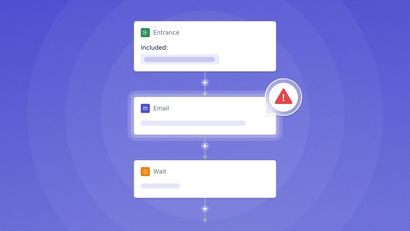
This kind of tag-based coordination is especially useful when you're running multiple journeys simultaneously. Each journey can tag users as they progress, and other journeys can read those tags to decide whether to send, wait, or skip. It turns independent flows into a coordinated system. For more on how tagging works in practice with automated journeys, see our Journeys documentation.
3. Set global frequency caps
Channel-specific limits are a start, but they're not enough on their own. Capping email to one per day doesn't help if the user also gets three push notifications and an SMS. Global frequency capping limits the total number of messages a user receives across all channels within a given window.
A reasonable starting point for most apps: no more than two to three total messages per user per day, across all channels combined. Transactional messages (order confirmations, security alerts) can be exempt from this cap since users expect them, but everything promotional or behavioral should count against it.
The key is that this cap operates at the user level, not the campaign level. Each campaign might be configured to send to its qualified audience, but the platform checks the user's recent message history before delivering and suppresses the send if they've already hit the cap. This requires your messaging tools to have a unified view of cross-channel activity, which is one of the core advantages of running your channels through a single multi-channel messaging platform rather than stitching together separate tools for each channel.
Why this only works on a unified platform
All three of these approaches (priority queuing, tag-based exclusion, frequency capping) depend on one thing: a single system that knows what every user has received across every channel. If your push notifications run through one tool, email through another, and SMS/RCS through a third, there's no central place to enforce global caps or check cross-campaign tags. You end up building custom middleware to sync state between systems, and that kind of duct tape breaks the moment someone adds a new campaign.
An omnichannel marketing platform that manages push, email, SMS, and in-app messaging from a single dashboard solves this structurally. It can evaluate a user's recent message history across all channels before deciding whether to send, suppress, or delay. The coordination happens automatically because all the data lives in one place.
OneSignal handles this by bringing all channels into one platform with shared user profiles, unified tagging, and a journey builder that can check for tag-based exclusions and respect frequency logic within the same flow. If you're running more than a few concurrent campaigns and finding that users are getting caught in the overlap, this is the structural fix. See how it works in the OneSignal platform overview.
The best message is sometimes no message
The instinct in growth marketing is to send more. More campaigns, more channels, more automations. But past a certain point, each additional message competes with your own previous messages for a user's attention, and the marginal return goes negative fast.
Deduplication logic isn't glamorous. But it protects the wins your other campaigns are generating by making sure users don't mute, unsubscribe, or uninstall because they felt overwhelmed. Get the priority queuing, exclusion tags, and frequency caps right, and every other campaign you run performs better because of it.
Get Started for Free