Push supports retention and timely utility, yet marketers only earn that value when users understand why notifications belong in their experience. A decline signals that the benefit, timing, or trust wasn’t there. Your next request should connect permission to value the user has already experienced, rather than repeat the original ask.
Mobile push notifications are messages that can appear on a device when someone isn’t actively using the app. They can support reminders, transactional updates, and promotions.
Our goal is to build a reachable audience that expects useful communication, which can support engagement, retention, and conversion.
For teams asking How to improve push notification opt-in rates, the practical answer is to earn another decision through relevance and user control.
What should happen after a user declines push permission?
Separate a declined permission from a user who has not yet been asked
First, identify the person’s current permission state and push reachability. Someone who declined has already expressed a preference in a particular context. Someone who hasn’t seen a request has made no such choice. Giving both people the same prompt ignores intent and can create unnecessary friction.
Permission recovery should fit your broader mobile app marketing lifecycle. Surface another message only after an app action creates genuine context.
The appropriate next step depends on the platform’s current permission state and the settings available on the person’s device. A declined user won’t necessarily receive the operating-system prompt again, so confirm the state before choosing a path.
Use contextual in-app education instead of repeating a generic prompt
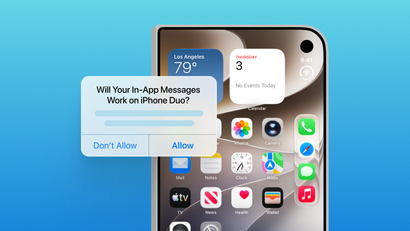
In-app messaging can educate active users without requiring push permission. You can target messages to all users or defined segments using custom criteria and engagement triggers. This makes an in-app explanation a useful second-chance channel after someone demonstrates interest in a notification-dependent feature.
Use this decision sequence:
- Confirm reachability and permission state.
- Wait for a meaningful app action.
- Show an explanation tied to that action’s value.
- Provide an accurate next step, including device settings only when the app can support that path.
- End or change the path after dismissal, conversion, or a change in intent.
How do you earn a second push permission ask?
Wait for a meaningful value moment
A value moment occurs when the user takes an action that makes timely communication useful. Asking then gives the permission request an immediate purpose. Suitable moments may include completing onboarding, saving an item, placing an order, activating a reminder, or using a feature that benefits from updates.
Use a value-led playbook:
- Identify the action that creates notification value.
Choose a behavior that reveals intent, rather than prompting on first launch. - Show a custom in-app nudge before the next permission step.
This pre-permission priming explains what notifications will contain and why they support the action. - Offer a clear call to action and a “Not now” choice.
A visible defer option keeps the decision voluntary. - Record the outcome and adapt the flow.
Stop after conversion, and delay another attempt after dismissal.
According to Plotline, pre-permission priming can improve opt-in rates by two to three times when it explains notification types, includes a clear action, and provides a Not now option.
Make the benefit specific and easy to decline
Effective permission language names the update, when it will arrive, and what it helps the user accomplish. “Get a notification when your order ships” gives the person a concrete decision. “Enable important updates” leaves them to guess what they’re accepting.
A specific benefit also sets expectations for future messages. Keep the promised notification experience consistent with the permission explanation.
Avoid coercive copy, countdowns, repeated interruption, and dark patterns because they reduce user control. Replace them with plain language, an obvious dismissal option, and a later contextual re-ask after new intent appears.
Deferral preserves agency. It also leaves room for a future reminder connected to a different feature or stronger need.
Match the message to the feature the user chose
The request should follow the user’s action closely enough that the relationship feels clear. Match the permission benefit to the feature they chose, so users can connect notifications with a timely outcome they already value. Use the same logic for each feature:
- Order tracking: After a purchase, explain that push can provide shipping and delivery updates.
- Price alerts: After someone saves an item, offer notifications when its price changes.
- Progress reminders: After someone sets a goal, explain how reminders can support the schedule they selected.
These triggers should match your product and audience. Replace broad, early prompts with soft asks after demonstrated value, then assess whether users follow through.
How can you build a permission recovery flow that respects user intent?
Define eligibility, exit rules, and re-entry rules
A respectful flow decides who qualifies, when messaging stops, and what new behavior permits another attempt. Useful eligibility signals include completed onboarding, saved items, a purchase step, feature views, subscription renewal, or inactivity. Each rule should represent a plausible need for timely communication.
Define four rules:
- Eligibility: Name the behavior that makes the person suitable for the flow.
- Exit: End the path after conversion, dismissal, or a relevant status change.
- Re-entry: Require a new action or changed intent before showing another message.
- Review: Reassess the rules when the product or customer journey changes.
Coordinate push, in-app messaging, and other reachable channels
Person-level eligibility and subscription-level reachability answer different questions. A OneSignal User is an individual with one or more messaging-channel subscriptions. A Subscription is the specific device or channel through which that individual can receive messages. Assess eligibility and reachability separately before choosing a channel or message path.
When push is unavailable, continue relevant in-app guidance during active sessions. Use another channel only when the person has valid permission or subscription status for it.
OneSignal Journeys is a no-code visual builder for multi-step, cross-channel flows triggered by behavior, lifecycle stage, inactivity thresholds, and custom events. In the generic customer journey builder category, a practical example is a permission recovery flow that:
- Enters after a qualifying behavior.
- Checks status before each message.
- Uses in-app guidance when push is unavailable.
- Exits when permission or intent changes.
This structure connects channel decisions to current user behavior instead of a fixed campaign schedule.
Which metrics show whether your second-chance strategy is working?
Measurement should show whether the strategy grows a useful reachable audience without degrading the app experience. Evaluate permission decisions alongside subsequent engagement, conversion, opt-outs, and retention. This prevents a short-term increase in opt-ins from hiding irrelevant messaging or avoidable user frustration.
An opt-in rate is the share of people who saw a permission request and chose to opt in. App-specific benchmarks become more useful after your data stabilizes over time.
Track:
- Opt-in rate by permission-state cohort.
- In-app message view-to-action rate.
- Settings-navigation completion, where measurable.
- Downstream notification engagement.
- Conversion tied to the promised use case.
- Opt-out or unsubscribe trends.
- Retention for exposed versus unexposed cohorts.
Test one variable at a time, such as the trigger moment, benefit framing, audience segment, or defer language. Ensure the notifications users receive match the original promise because mismatched expectations can increase opt-outs.
What is the respectful path to a second chance?
Recognize the permission state, wait for demonstrated value, explain a specific benefit in-app, and make deferral easy. Then measure whether the flow supports both the user’s goal and your engagement, retention, or conversion outcome. Permission recovery works best as a responsive experience, not a repeated campaign.
Audit your current permission flow and identify one high-intent moment where a contextual explanation would help users make an informed choice.
Get Started for Free