The way apps are built has changed forever. New tools like Lovable, Bolt.new, Base44, v0 by Vercel, Replit, and more allow anyone to go from idea to fully functional web app in hours, not months. No traditional development team needed.
But there is one more piece of the puzzle these tools can’t handle: distributing your app through the App Store and Google Play Store as a native iOS and Android app. For that, you need a native app, which means you need to build a native app from scratch. It's exactly what these tools are meant to help you avoid.
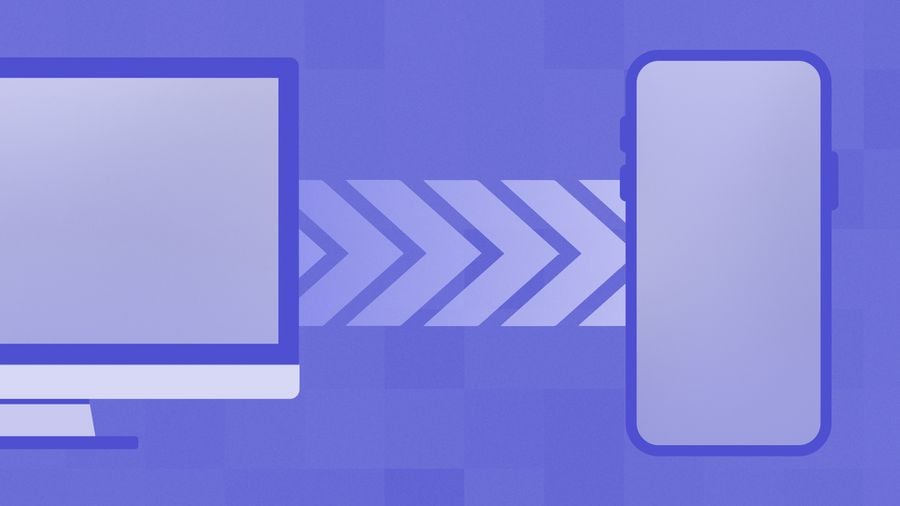
This is where WebViewGold comes in. It turns your website or web app into a beautiful native iOS and Android app without ever having to write native code. And by combining WebViewGold with OneSignal, you can have push notifications integrated into your app from the very start. Push notifications are one of the most powerful re-engagement tools available to any app developer.
In this post, we’re going to walk through exactly how to turn your vibe-coded web app into a native mobile app with push notifications.
The vibe-coding revolution and the distribution gap
If you have created a web application with one of these tools in recent times, you probably know how incredible the experience is: Describe what you want in natural language, then watch the AI create a complete application. And then even deploy to the web in one click.
The application you create is a real application, hosted at a public URL, identical to an application that a professional development team might create. The quality of tools such as Lovable, Bolt, and Base44 has gotten to a point where many of these applications are, in effect, production-ready.
However, web applications and native applications are different. To get a presence in the iOS App Store or on Google Play, Apple and Google require a native application, a compiled binary to review. Your application's URL is not enough.
This is the distribution gap. You have a great product. You just need a native wrapper to ship it through the channels your users actually expect.
What is WebViewGold?
WebViewGold is a wrapper tool for building a native iOS app using Swift and Xcode, and a native Android app using Java and Android Studio, which loads your existing website or web app inside a high-performance native shell. What this gets you is a completely native app binary, with its own icon, splash screen, title, etc., which will pass muster with both Apple and Google.
The key insight: from Apple's and Google's perspective, you're submitting a native app. From your users' perspective, they're using a native app. From your perspective, your existing web app is your codebase, and you change it once, and it instantly goes live on iOS and Android, no app update needed.
What WebViewGold is not
WebViewGold is not a cross-platform solution, like React Native or Flutter, where you have to implement your code in a different language. WebViewGold is not a low-code solution, where you build a new app using their tool, replacing your existing product. WebViewGold is a wrapper, and your web application remains exactly as it is, with WebViewGold providing a native container for your web application, which can then be distributed through the App Store or Google Play.
Which platforms does WebViewGold work with?
Any platform that produces a public web URL. That includes all of the major AI-powered and no-code builders:
It also works with traditional HTML websites, WordPress sites, web apps built with custom code, SaaS dashboards, internal tools, e-commerce stores - anything accessible via a URL.
How to convert your web app to iOS & Android: step by step
WebViewGold offers two setup paths. The easiest requires nothing more than a browser.
The Cloud Builder: no Xcode, no Android Studio
WebViewGold Cloud Builder is a browser-based build system. It is a completely server-side compilation of your native application. It is configured with a visual interface, and with the click of the Build button, your application is complete and ready to be uploaded to the App Store Connect or Google Play Console as an IPA or APK/AAB.
This is the recommended workflow for anyone who built their application with Lovable, Bolt, Base44, or any other similar tool and does not want to set up a local native development environment. The results are the same as if you had built your application locally using Xcode and Android Studio.
The developer path: Via Config.swift / Config.java
If you prefer to build locally, WebViewGold has Xcode and Android Studio projects that have a single configuration file for each platform: config.swift for iOS, config.java for Android. All of your app’s configuration – your app URL, name, icon, App ID for push notifications, etc. – is in one file. No native code required.
Adding OneSignal push notifications
Once your web app is encapsulated within the native shell, you gain access to the native device features, such as push notifications. This is arguably one of the biggest advantages of creating a native app compared to simply launching your web app within the browser.
Push notifications provide the means to reach your users before they even think about your application. This is arguably the single biggest feature for apps built on vibe-coding platforms that makes the distinction between an application and a product.
Why push notifications matter for vibe-coded apps
Most applications developed with the help of AI tools can effectively address one particular issue. However, the question of retention, i.e., how to retain users, is something different. It is something the application alone can’t help with. One of the best retention tools is push notifications:
- Alert users about something relevant happening within the app, such as “you got a new message,” “you completed a task,” “your status was updated”
- Re-engage users who haven’t opened the app in days with a relevant message
- Announce new features, content, or updates as soon as they go live
With OneSignal and WebViewGold, adding all of this to your app requires exactly one configuration value: your OneSignal App ID.
Setting up OneSignal
- Create a free account on onesignal.com.
- Click on New App/Website. Select your platforms: Apple iOS +/or Google Android +.
- OneSignal will walk you through credential creation: APNs Auth Key for iOS, Firebase Server Key for Android.
- Copy your OneSignal App ID from your dashboard.
- Paste it into your WebViewGold Cloud Builder (or Config.swift/java for local builds).
- That’s it! Your push notifications are live.
What you get: Native features on top of your web app
WebViewGold does not simply wrap your URL; it provides your app with a full range of native capabilities not available to your competitor’s web apps in a browser.
As discussed above, native push notifications that work even when your app is closed. Configure your segments, schedule your campaigns, run your A/B tests, and automate your journeys – all from your OneSignal dashboard.
Deep linking
Send your users directly to a specific page in your app from a push notification, email, or shared link. WebViewGold automatically routes deep links. Simply configure your target URL in OneSignal.
Native navigation & gestures
Swipe-to-go-back, pull-to-refresh, native loading animations, and other native behaviors are included in WebViewGold’s native shell. Your users get the native gestures they’re accustomed to on iOS or Android without modifying your web app.
Offline support
WebViewGold allows your app to cache content so it can display it or your own offline page in the event of no network connection. Browsers vary in support for offline support.
Custom splash screen & icon
Your app launches with your custom splash screen and features your icon on the home screen, just like other native apps. Configure these in the Cloud Builder or config file.
In-App Messages (via OneSignal)
OneSignal’s in-app messages feature allows you to display overlays, banners, or modals in your foreground app. No permission required. Great for onboarding, feature announcements, or promotions.
App Store & Google Play submission
One of the first questions that comes to mind: will Apple, or Google, accept an app created in such a manner?
The answer is: yes, they will. There is an important caveat, though: Apple has a set of rules for apps, called App Store Review Guidelines, and one of them is that an app created with a web view should have some real value added to it, apart from being a simple wrapper for a website.
The WebViewGold apps that pass the review at Apple's App Store share a number of properties:
- They're real apps: they contain a real web application, not just a marketing website.
- They're not simple web views: they utilize various features, such as push notifications, deep links, etc.
- They have a real look and feel: they have a real app name, a real app icon, a real splash screen, etc.
The apps created with Lovable, Bolt, Base44, and similar tools tend to pass these tests naturally: they're real apps, not marketing tools.
The full workflow: vibe-code → native app → push notifications
This is basically what the entire workflow looks like:
- Make your own web app using Lovable, Bolt, Base44, v0, Replit, or any other means. Host it on a public URL.
- Make a OneSignal account. Set up your iOS/Android push credentials. Grab your App ID.
- Fire up your WebViewGold Cloud Builder. Plug in your URL. Set up your app’s identity. Plug in your OneSignal App ID.
- Hit Build. Download your IPA/APK/AAB files.
- Submit to App Store Connect and Google Play Console. Follow the standard review process for each store.
- Go live. Send your first push notification from your OneSignal dashboard.
Frequently asked questions
Does my web app have to be developed using a certain framework?
Nope! WebViewGold works perfectly well with any URL you throw at it – React, Vue, HTML, WordPress, Webflow, Lovable, Bolt, Base44, etc. As long as your web app is accessible over HTTPS, you can use WebViewGold.
What happens when I update my web app?
Updates to your web app are automatically reflected in your native app immediately. No new build is required, and you don’t have to submit your app to the App Store either.
Can I use my own custom domain?
Yes! WebViewGold can load any URL you set – your Lovable project’s URL, your custom domain, etc.
What about offline support?
We support various types of caching in WebViewGold so you can make sure your app behaves as desired when there’s no network available – either by displaying some content or a custom offline screen.
Will WebViewGold work for my web app’s authentication/user accounts?
Yes! WebViewGold behaves exactly as a native browser when it comes to cookies, session storage, and local storage – so user accounts and authentication should all work as expected.
Do I need a paid plan from OneSignal?
Nope! To get started, you can use OneSignal's Free Plan, which supports thousands of subscribers and has access to all features related to push notifications.
Get Started for Free