SMS marketing is one of the most direct ways to reach your users. Your brand messaging lands on users’ phone numbers regardless of where they are, and without requiring an app install or an open inbox. For mobile app businesses, that directness makes SMS a valuable complement to push notifications, email, and in-app messages.
This guide walks through how to evaluate and choose an SMS platform, the criteria that actually separate the strong providers from the mediocre ones, and the best practices that keep your program compliant and effective. It also shows where a unified engagement platform like OneSignal fits when you want SMS working alongside your other channels instead of bolted onto the side.
Frequently asked questions about SMS marketing for apps
What is the difference between promotional and transactional SMS?
Promotional SMS markets your products, such as sales, coupons, and offers, and requires marketing consent. Transactional SMS delivers information tied to a user action, such as order confirmations, shipping updates, and one-time passcodes. OneSignal supports three texting program types, including promotional, transactional, and OTP, as described in its SMS documentation.
How do I get users to opt-in to receive SMS messages?
You must collect express written consent before sending marketing texts, and users must clearly understand they are agreeing to recurring messages. Common tactics include prompting for a phone number when someone subscribes on another channel, using web pop-ups, and running social or paid campaigns aimed at opt-ins. Always pair the opt-in with a simple, direct way to opt out, and remember that under current FCC rules, a reply like "please stop" or "unsubscribe" counts as a valid opt-out too, not just the word STOP.
What makes a good bulk SMS service provider?
A strong bulk provider delivers high volumes reliably and quickly across the regions you serve, validates phone numbers for accuracy, and handles compliance automatically. Transparent pricing and clear international coverage matter for cost forecasting. API support for programmatic sending is essential when you trigger messages from your own systems.
Can I send images and GIFs via SMS?
Standard SMS is text-only and limited to 160 characters. To send images, video, audio, or GIFs, you use MMS, which extends the format with rich media and up to 1,600 characters of text. OneSignal supports SMS, MMS, and RCS formats, as detailed in its SMS documentation.
SMS vs. RCS: which one should you use?
Most brands need both, not one or the other. SMS is plain text capped at 160 characters, but it works on every phone everywhere, with no data connection required. RCS (Rich Communication Services) is the newer standard: it delivers branded, app-like messages with your logo and business name as the sender, plus cards, carousels, tappable buttons, and read receipts. Apple added RCS support in iOS 18, and industry estimates now put global RCS reach past a billion monthly active users, so it is no longer an Android-only conversation.
The catch for marketers is that RCS still requires a separate, premium sender approval per carrier, and not every recipient device or network supports it. That is why the practical setup in 2026 is SMS as the reliable baseline with RCS layered in for higher-value moments. OneSignal supports exactly this pattern: RCS sends automatically fall back to SMS or MMS when a recipient cannot receive them, so you get the richer experience where it is supported without leaving anyone out.
How does SMS fit with other channels like push notifications and email?
SMS works best as one part of a coordinated strategy. Push notifications handle real-time and limited-time alerts, email suits longer content, and SMS reaches users directly for time-sensitive or high-value moments. A unified platform ties these together so a single journey can move a user across channels based on their behavior.
Where SMS actually fits in your app's messaging stack
SMS works differently from the channels you already use. Push notifications reach users who have installed your app and granted permission and in-app messages appear only while someone is actively using the app.
Text messages typically get noticed quickly, since most people check a new text soon after it arrives. That immediacy makes SMS a strong fit for time-sensitive and high-value moments: shipping updates, appointment reminders, account alerts, and re-engagement offers.
SMS is most effective when it is part of a coordinated strategy rather than a standalone tool. Text works well for longer-lasting content and deeper interactions, such as ongoing promotions, support messages, and alerts, while push notifications suit real-time updates and limited-time offers, as OneSignal explains in its guide on when to use push, SMS, email, and in-app messaging. Used together, these channels reinforce each other.
The rest of this article helps you pick the right SMS platform and understand how it should connect to your broader engagement stack.
How to choose the right SMS platform for your app
There is no single best SMS platform for every app. The right choice depends on your team structure, your existing tech stack, and how you plan to use text messaging. A small business sending occasional promotions has different needs than a large app running automated, personalized journeys across several channels.
If your current provider is falling short, that is a sign to reassess. OneSignal's guide to switching customer messaging platforms lists warning signs worth watching: missing your engagement KPIs, deliverability problems, and difficulty building dynamic audience segments in real time.
Most guidance on selection points to the same core themes. Look for an experienced SMS partner that integrates with your marketing tech stack, rather than a one-size-fits-all tool with gaps in SMS expertise, functionality, deliverability, and compliance. A central question to ask is how easily a given provider connects with the systems you already use.
The subsections below break down the criteria that matter most.
One platform, or a pile of point solutions?
A point solution does SMS and only SMS. A unified platform handles SMS alongside push, email, and in-app messaging through one interface.
Point solutions can be a good starting choice if text is your only channel and you want a focused tool. The tradeoff is fragmentation. Each channel lives in a separate system, with its own subscriber data, its own dashboard, and no shared view of the customer.
A unified platform lets you build cohesive, multi-step journeys that move a user across channels based on behavior. OneSignal combines SMS with push notifications, email, and in-app messages, so you can send a push, follow up with a text, and finish with an email in a single automated flow. For app-based businesses that already run push and email, this shared foundation removes the work of stitching separate tools together.
Can marketers actually run it without engineering?
Ask whether your marketing or operations team can run SMS without engineering help. Decide early whether you need a simple platform anyone in marketing can use without IT support, or whether you need deeper technical control.
No-code tools and an intuitive dashboard let marketers build and schedule campaigns, create segments, and analyze results on their own. OneSignal provides marketer-friendly, no-code tools alongside API access, so non-technical teams can launch campaigns while developers keep the option of programmatic control.
Ease of setup matters too. OneSignal's guide on choosing a notification provider puts ease of implementation first, and comparing setup times across candidates is a practical way to judge how quickly you can go live.
Compliance, security, and deliverability: The non-negotiables
Compliance is not optional in SMS. In the United States, A2P 10DLC registration governs business texting over standard phone numbers, and the TCPA requires express written consent before you send marketing texts. Compliance and security should rank among the top features you look for in any provider.
A good platform handles the mechanics for you. That includes processing opt-outs (not just the keyword STOP, since current FCC rules require honoring any reasonable revocation request), and managing carrier relationships and routing. OneSignal handles message routing, delivery retries, and compliance items like opt-outs automatically.
Deliverability is the deal-breaker feature. The key question is whether a provider can ensure fast, reliable delivery across networks and regions. Look for reliability that holds steady as your volume grows, plus tools for phone number validation and routing accuracy.
Scalability and pricing: What happens when you actually grow
Your platform should handle both small sends and high-volume campaigns without degrading. OneSignal provides reliable high-volume delivery, which matters when a single broadcast reaches your entire subscriber list.
Pricing models fall into two broad camps. Pay-as-you-go pricing charges per message, an approach used by API-first providers, with rates that vary based on message volume and destination country. Tiered plans instead bundle a volume of messages and features into a monthly rate.
Favor transparent pricing you can forecast. Weigh the per-message cost against what you get, and factor in international reach if you send across borders. The budget choice often comes down to whether you prefer to cover development and traffic costs yourself or pay for a packaged solution.
API and integration support: Can developers build with it?
Your SMS platform should connect with the tools you already run: your CRM, your customer data platform, and your analytics stack. Look for providers that offer developer-friendly code for quick integration into your CRM, marketing automation tools, or customer-facing applications.
OneSignal offers both API and SDK support for programmatic sending and app integration, with SDKs spanning native platforms (Android, iOS), cross-platform frameworks (Flutter, React Native, Expo, Unity, Cordova, Ionic/Capacitor), and server-side languages (Node, Python, PHP, Java, and more).
This lets developers trigger transactional and bulk SMS from your own systems while marketers work in the dashboard. Increasingly, the newest integration surface is not a REST endpoint at all: OneSignal also runs an MCP (Model Context Protocol) server, so AI assistants like Claude, ChatGPT, and Cursor can look up users, build segments, and send test messages directly from a chat window. When evaluating candidates, test API usability, and increasingly, whether the platform can be operated by an AI agent, before committing.
The SMS platform scorecard: Key evaluation criteria
Use this checklist to compare providers side by side. Each row maps to a criterion covered above.
| Criterion | What to look for | Why it matters |
|---|---|---|
| Platform scope | Unified multichannel vs. SMS-only | Unified tools enable cross-channel journeys and a single customer profile |
| Ease of use | No-code dashboard and segmentation | Lets marketing and ops teams run campaigns without engineering |
| Two-way messaging | Support for replies and conversations | Enables support, FAQ handling, and richer engagement |
| Compliance | A2P 10DLC, TCPA, automatic opt-out handling | Keeps your program legal and protects sender reputation |
| Deliverability | High, consistent delivery across regions | Determines whether messages actually arrive |
| Scalability | Reliable high-volume sending | Supports growth without performance drops |
| Pricing | Transparent per-message or tiered plans | Makes costs predictable as you scale |
| Integrations | API, SDKs, CRM and analytics connectors | Fits SMS into your existing stack |
| AI-native workflows | In-platform AI assistant plus open protocols like MCP | Lets marketers and AI agents build segments, draft copy, and send messages without waiting on engineering |
Weigh these criteria against your own use cases. A sales team that relies on conversational texting will prioritize two-way messaging, while a large app running automated flows will weight multichannel orchestration and deliverability more heavily.
SMS marketing best practices for app engagement
Strong results come from disciplined habits. The practices below apply directly to app engagement.
Get explicit consent before you send. You must obtain express written consent, and it should be clear to subscribers that by providing their phone number they are opting in to recurring marketing texts. To earn opt-ins, capture phone numbers when users subscribe on another channel such as email, or through web pop-ups, as OneSignal describes in its guide on choosing the right channel. Apps with limited web presence can prompt opt-ins through social channels or paid ads.
Segment your audience by demographics, preferences, and behavior so each message is relevant. Keep messages concise so the call to action is immediately clear.
Manage frequency and timing. Send only as often as your content justifies, most successful programs stay to a modest number of messages per month, with only a portion of them promotional. Use mobile analytics to find optimal send times, and avoid texting during late or early hours. You cannot send during federal and state quiet hours, and you have to honor opt-outs quickly. Under FCC rules that took effect in 2025, subscribers can revoke consent through any reasonable method, not just the word STOP, and businesses must process the request within 10 business days. The safest programs treat every method as a same-day STOP.
Test and refine. Run A/B tests on your calls to action, send times, and message formats to learn what works with your audience. Always include a clear, simple way to opt out.
Why OneSignal is the unified SMS platform for mobile apps
Measured against the criteria above, OneSignal fits app-based businesses that want SMS working with their other channels rather than beside them. OneSignal added SMS to its customer engagement platform and has since expanded it to include MMS and RCS business messaging, so businesses can send personalized, automated messages across multiple channels for use cases like promotions, order updates, and authentication.
The core advantage is scope. OneSignal is a multichannel platform, not an SMS-only tool. It unifies SMS, push notifications, email, and in-app messaging through one interface, which is what makes coordinated journeys possible. You can explore the full feature set on the OneSignal SMS product page and in the complete SMS marketing platform guide.
Orchestrate cross-channel Journeys
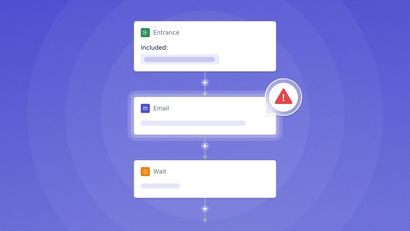
OneSignal lets you build multi-step, multichannel automated flows that combine SMS, push, email, and in-app messages. A OneSignal Journey might send a push notification, wait for a response, then follow up by text if the user does not act. Because every channel shares one customer profile, the sequence stays coherent across touchpoints instead of running as disconnected campaigns.
Personalize at scale with advanced segmentation
OneSignal supports real-time segmentation and behavioral targeting, so you can personalize SMS based on how users actually behave in your app. Create relevant, personalized texts through the dashboard, or automate personalized messages at scale through the API. This lets you send promotions, coupons, and re-engagement messages to the right subscribers rather than blasting your entire list.
Ensure reliable, high-volume delivery
OneSignal provides reliable, high-volume delivery across dozens of countries spanning the Americas, Europe, Asia, and Oceania. The platform manages message routing, delivery retries, and compliance handling for opt-outs. That combination of scale and built-in compliance keeps large campaigns dependable.
Simplify setup and management
OneSignal is built for fast implementation and no-code use by marketers, with SDKs available for developers who want programmatic control. Marketing teams can build segments, schedule campaigns, and read analytics without engineering support. Developers can integrate the SDK the same day and trigger transactional or bulk SMS through the API.
Run your SMS program with OneSignal AI and an open MCP server
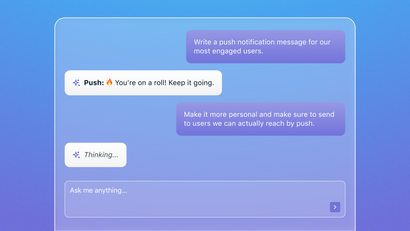
OneSignal is also building toward autonomous lifecycle marketing: software that does more of the operating, not just the reporting. OneSignal AI is an embedded assistant inside the OneSignal dashboard that lets you ask questions and take action in plain language, such as building a segment of users who abandoned checkout or drafting a re-engagement text for a lapsed cohort.
The OneSignal MCP Server takes the same idea outside the dashboard: built on the open Model Context Protocol, it lets AI assistants like Claude, ChatGPT, and Cursor look up users, check delivery stats, build segments, and send messages on your behalf, all from a normal conversation. Sending a message still requires your confirmation, so the AI can move fast without the risk of an accidental blast. For SMS specifically, that means a marketer can ask an agent to pull a segment of recent purchasers and draft a promotional text without opening the dashboard at all.
Build a smarter messaging strategy
A successful SMS strategy for apps rests on one decision: choosing a platform that fits into the rest of your stack. The criteria that matter are consistent across the field, including ease of use, two-way messaging, compliance, deliverability, pricing, integration depth, and increasingly, whether the platform is built for AI-native workflows.
A unified platform turns those separate channels into connected journeys. When SMS shares a customer profile and a workflow builder with push, email, and in-app messaging, you can personalize at scale and reach users at the right moment on the right channel. As more of that operating work gets handed to AI agents and assistants, the platforms worth choosing are the ones already built for that world, not bolted onto it after the fact.
To see how a unified approach works across every channel, explore OneSignal and its multichannel engagement capabilities.
Get Started for Free