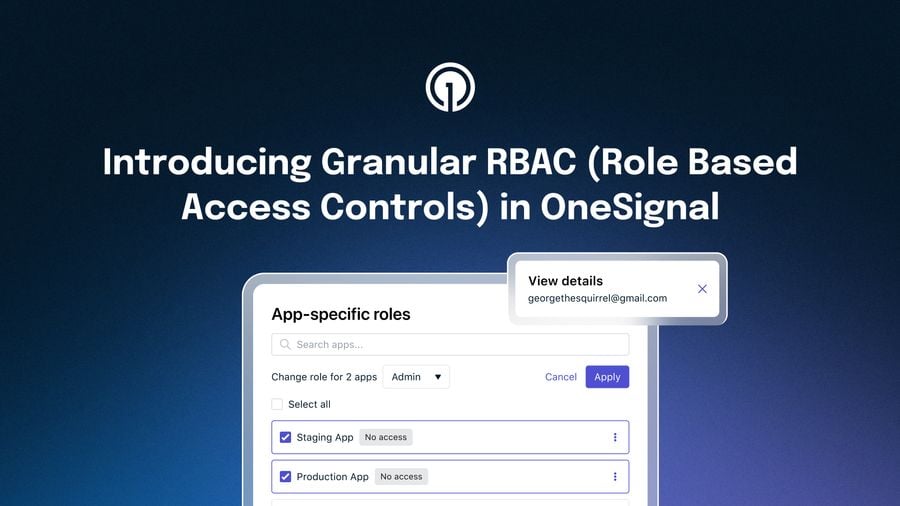
We are excited to announce updates to roles and permissions in OneSignal to give teams more control over access across organizations and apps. These changes are designed to improve flexibility, support least-privilege access patterns, and make permission management more intuitive as teams scale.
No action is required and these updates do not change your current pricing.
Here’s a quick breakdown of the updates to the following roles:
Editor
- Permissions Removed: delete or export users and subscriptions
- Permissions Added: import users and subscriptions, full management of test users, full management of dynamic content
Composer (new role)
- Permissions: send a test notification, add and view test users, add dynamic content, and edit dynamic content that isn't tied to live published content
Viewer
- Permissions Removed: export any data
Understanding org-level and app-level roles
OneSignal roles are structured across two levels. Organization-level roles define baseline access across all apps in an organization. App-level roles provide more specific permissions within individual apps and always grant higher levels of access than org-level roles.
This model allows teams to manage broad access centrally while still tailoring permissions at the app level.
Introducing the Team Member role
We are adding a new organization-level role called team_member. This role does not grant any app permissions on its own. Instead, access is explicitly assigned through app-level roles.
This provides a clean starting point for least-privilege access. Users only receive access to the apps and capabilities they are explicitly granted.
All new users invited to an organization or app will automatically be assigned the team_member role. This role can be updated later if broader access is required.
Updates to existing roles
We have also updated several existing roles to better align with common workflows and improve security.
The Editor role will no longer be able to delete or export users and subscriptions. It will now include the ability to import users and subscriptions, as well as full management of test users and dynamic content.
We are introducing a new role called Composer, which is currently in limited release. This role is designed for users focused on messaging and content creation. Composer cannot export data or delete labels. It can send test notifications, manage test users, and create or edit dynamic content that is not tied to live published content.
The Viewer role will no longer have permission to export any data.
Changes to app-level role assignments
We are also updating how app-level roles can be assigned.
App-level roles must now grant more access than a user’s organization-level role. A user cannot be assigned a more restrictive role at the app level than they already have at the org level.
For example, a user with a Viewer org role can be assigned Composer, Editor, or Admin at the app level. A user with an Editor org role can only be assigned Admin at the app level.
These rules will be enforced on both the client and server side to ensure consistency.
Unlike in the past, app-level roles must grant more access than a user's org role. In other words, you can't assign a more restrictive role at the app level than what the user already has at the org level. Here's a quick reference:
| Org role | Valid app roles | Plan type |
|---|---|---|
| Admin | None — already has full access | Free & Paid |
| editor | admin | Paid only |
| composer | editoradmin | Paid only |
| viewer | composereditoradmin | Paid only |
| team_member | viewercomposereditoradmin | Free & Paid |
These rules will be enforced on both the client and server side.
What you need to do
Most of these changes will be applied automatically and we don’t expect any breaking changes.
Still, if you manage team access, we recommend reviewing your current role assignments with the updated rules (especially if you currently assign roles at the app level).
Why we are making these changes
These updates make it easier to manage access at scale while reducing the risk of over-permissioned users. By separating baseline access from app-specific permissions, teams can more confidently control who has access to what.
You can always review the latest updates in our changelog at:
https://documentation.onesignal.com/release-notes/changelog
https://documentation.onesignal.com/docs/en/manage-team-members
If you have any questions, please reach out to our support team.